Nokhatha Facilities Management
Report and complete in one tap — from your phone. The fault report, the work order, preventive maintenance, equipment and meters: for the technician on a phone, and for the supervisor at a desk.
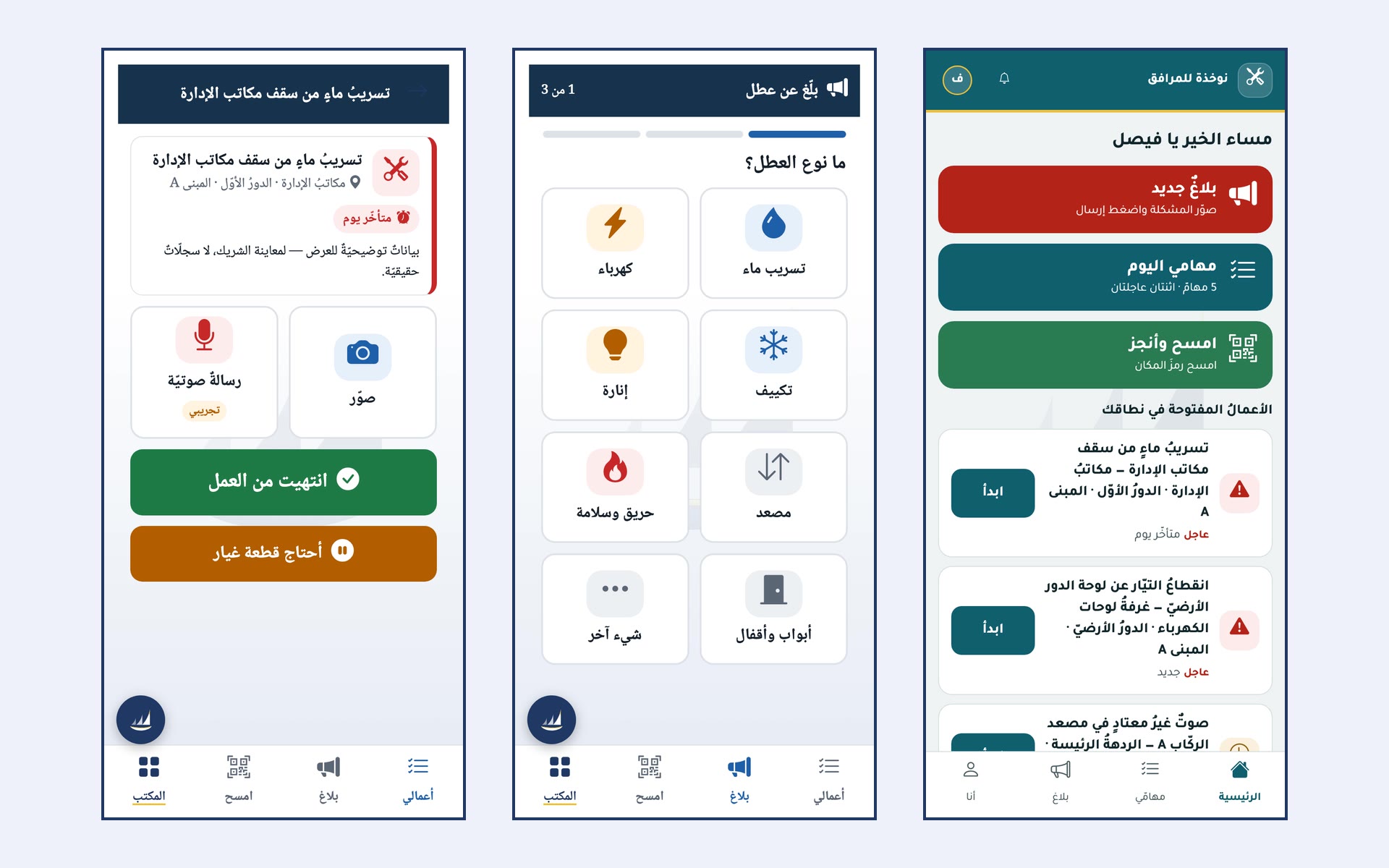
From report to close-out
Press an area to see its screen. The captures are from the product itself, with demo data.
Whoever reports, whoever fixes and whoever follows up — each with their own screen
Large buttons and a bottom bar, and a report starts by choosing the type of fault, not by typing it.
Every order has a resolution deadline according to its priority, and those past it are flagged in their row and counted at the top of the page.
A code at the place is scanned with the phone and the work starts from it.
Each indicator on the performance dashboard has how it is calculated written beneath it, and where the period has no data, that is said plainly.
Request a written quote for your company
Tell us your sector and how many companies and employees you have, and you receive a written quote with the right bundle and the set-up cost. We send no marketing email.
Or directly: WhatsApp · [email protected]